These are the real Figma prototypes, embedded live, so they need a stable connection and can still feel slow or skip a step. For the full picture, open the Figma file. Every screen, state, the design system and the components are there.
01Overview
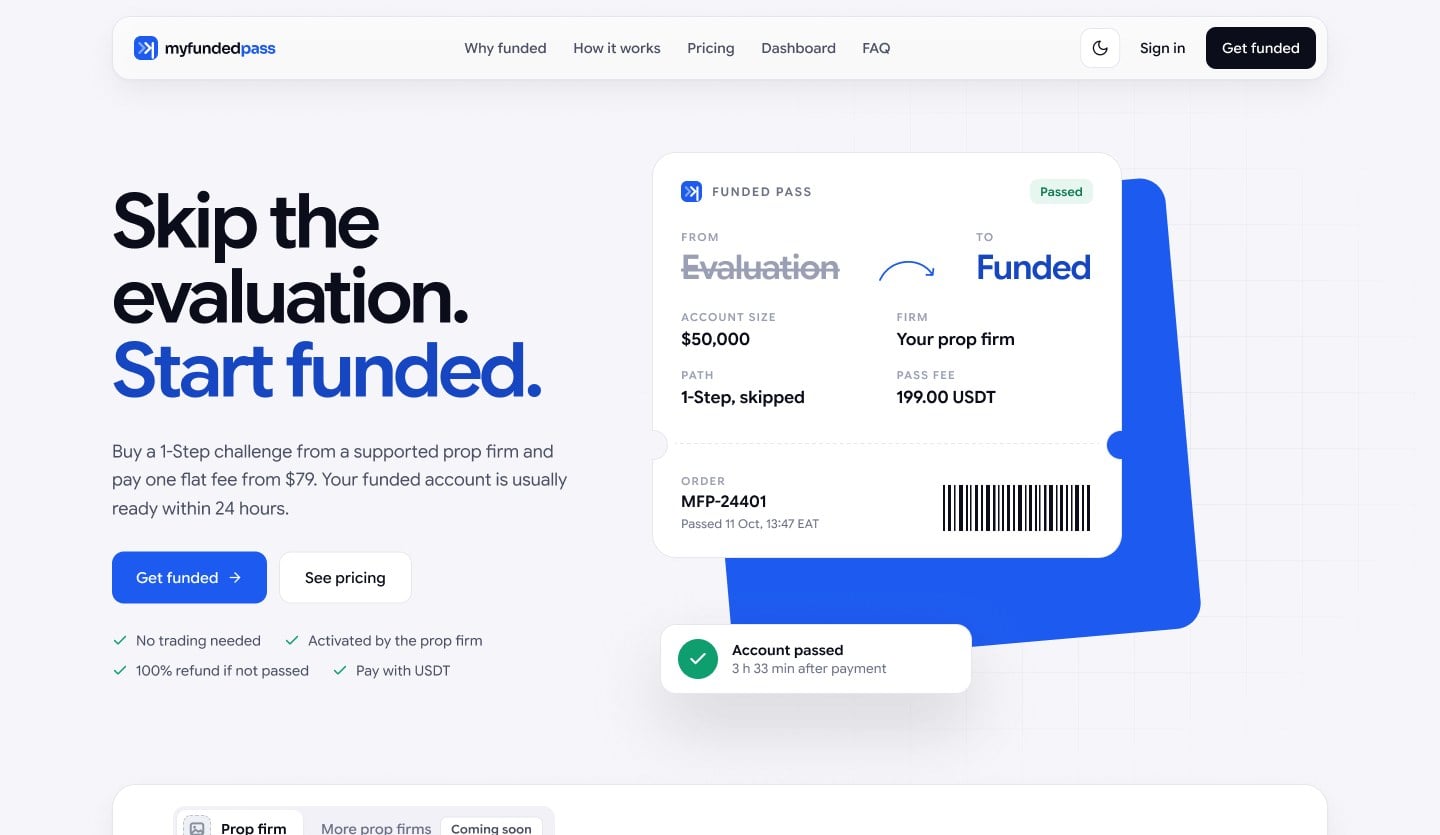
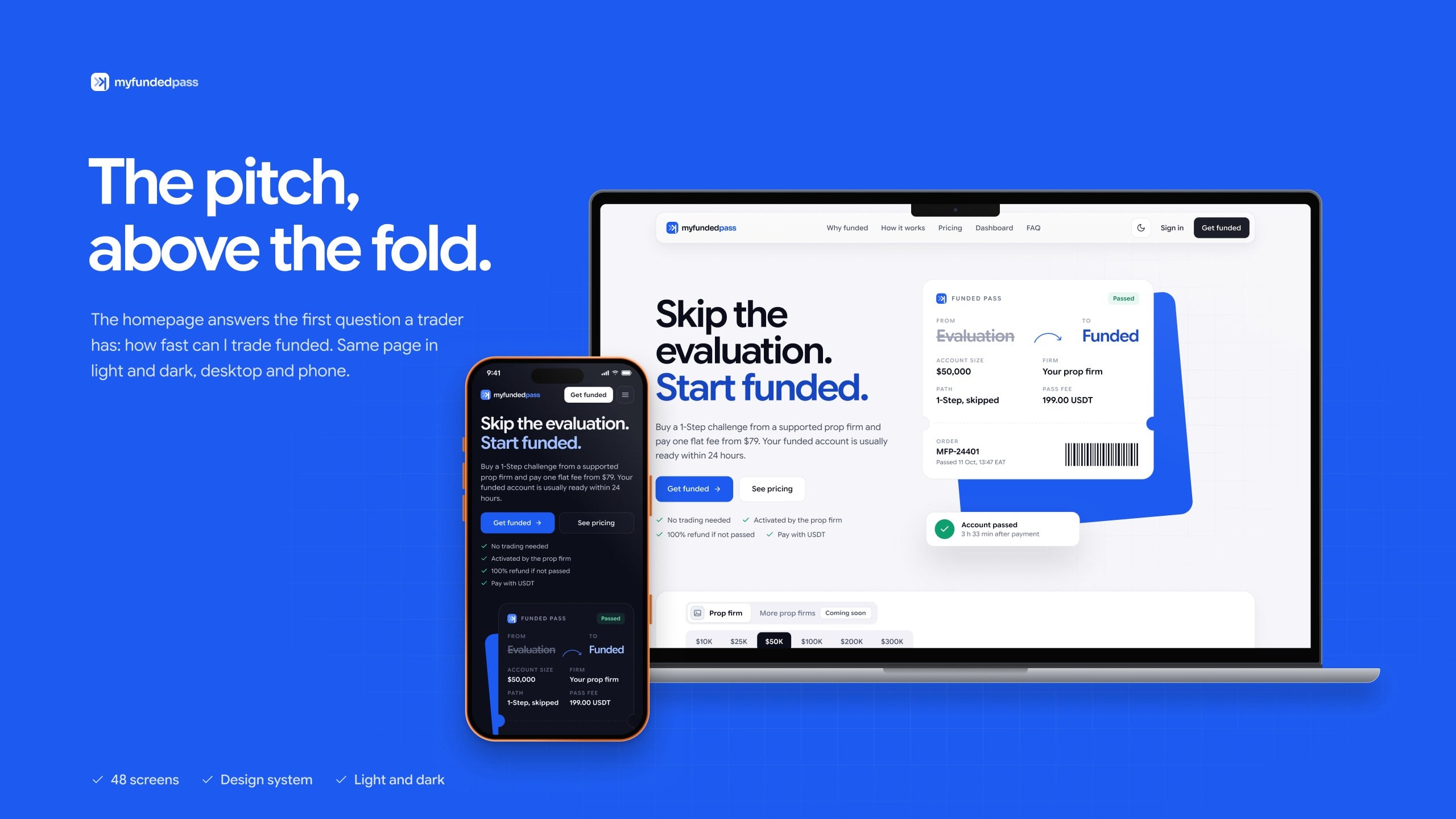
Skip the evaluation. Start funded.
Product design for a platform that gets traders a funded prop firm account without the evaluation. Marketing site, trader portal, affiliate portal and admin, on web and mobile, in light and dark.
02The problem
Most traders never get past the evaluation.
Prop firms fund traders who pass a timed evaluation. It takes weeks, costs a fee, and most people fail it. The client wanted to sell a pass instead: the trader buys a 1-Step challenge, pays one flat pass fee, and starts on a funded account.
$10K to $300K1-Step challenge sizes
From $79one flat pass fee, paid in USDT or BNB
Under 24 husually passed after payment
100%of the pass fee back if not passed
03What it worked around
Four constraints shaped every screen.
Paid on chain
Pass fees are paid in USDT or BNB for now, with more methods coming, so each payment needs an exact amount, a network and a transaction hash.
The prop firm activates
The platform runs orders, payments and status. The account itself lives with the prop firm.
No live account data
Dashboards show only what the platform knows: orders, payments, passed accounts and refunds.
Stay independent
Examples never name a prop firm. A firm only appears where a trader picks it.
A note on the screens
Prop firm names and logos in the screens are placeholders. The real partner firms are exclusive.
04Three portals
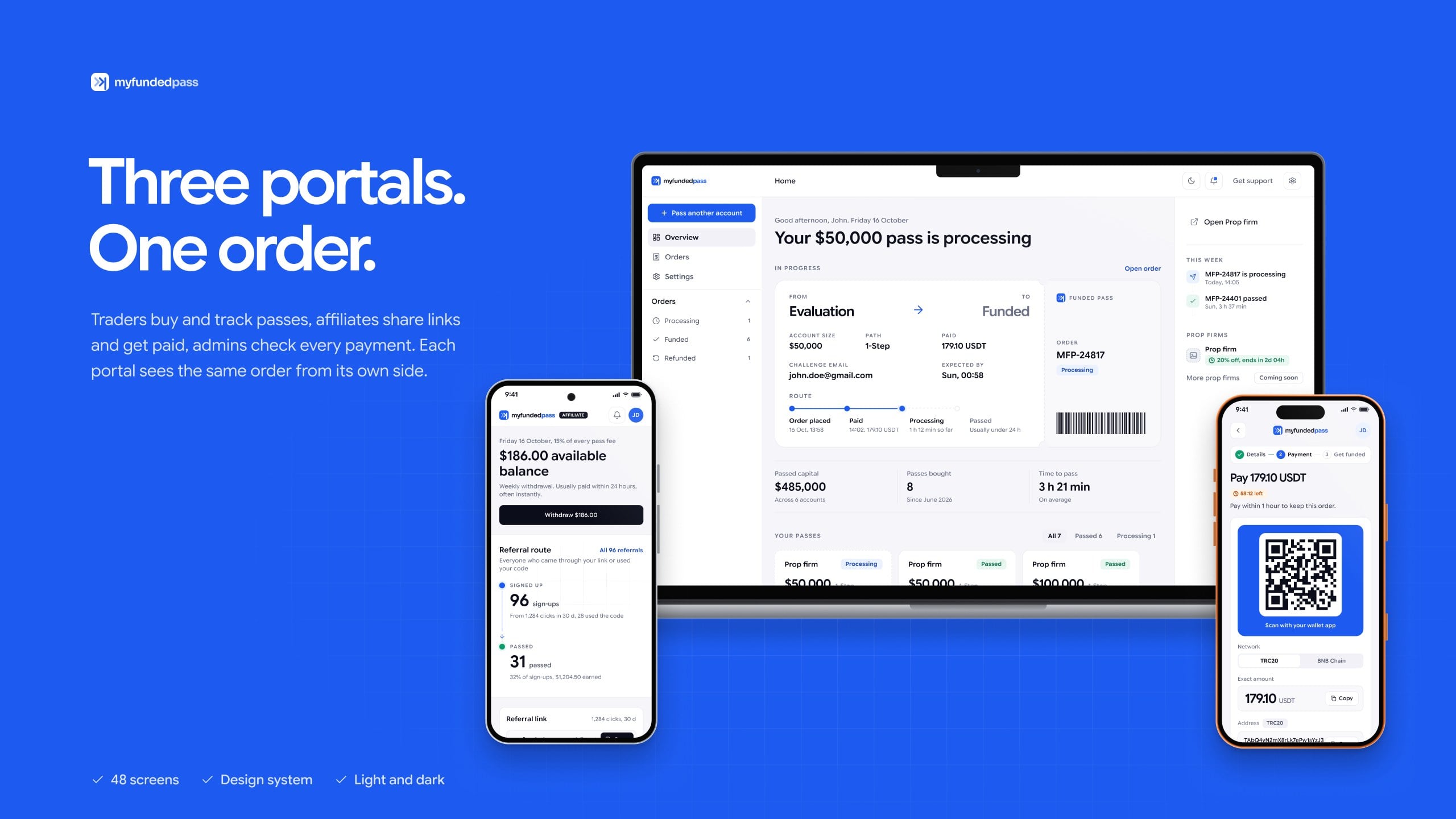
Three portals around one order.
Every screen follows the same order: placed, paid, processing, passed. Each portal sees it from its own side.
Trader
Orders a pass, pays in USDT or BNB, follows each step and downloads invoices.
Affiliate
Shares a link and codes, sees who signed up and passed, and withdraws every week.
Admin
Checks payments, sends orders to the prop firm, refunds when needed and pays affiliates.
05The order flow
Four steps from challenge to funded.
Each step says what to do now and what happens next.
01
Send two details
The challenge email and the account size. No password, no account access.
→
02
Pay the exact amount
Pick the network, scan or copy, fees on top
→
03
Paste the hash
Checked on chain, with its own path for short payments
→
04
Follow it to passed
Every step on the dashboard, with an email at each change
06Key decisions
Decisions that came from the constraints.
The pass is a ticket
The problem
Skipping an evaluation is hard to picture. Traders need to see what they are buying.
The fix
FROM Evaluation, TO Funded. The same ticket carries the order on the landing page, the dashboard, in emails and on the invoice.
Core decisions
One shape for the product everywhere it appears.
The order number and status live on the ticket.
The struck-through Evaluation says the skip without a sentence.
Exact amounts, fees on top
The problem
Crypto payments fail quietly when the amount or the network is wrong.
The fix
The payment step shows the network, the exact amount, an address that expires and who pays the fees.
Core decisions
Fees go on top, so the amount received is exact.
The address timer is always in view.
A short payment or a hash that can’t be found gets its own path.
Plain status words
The problem
Different words for the same status confuse traders and slow support down.
The fix
Processing, Passed, Refunded. The same words for traders, in emails and in admin, so support never translates.
Core decisions
One status vocabulary across all three portals.
The same colour for the same word everywhere.
Emails reuse the dashboard’s status labels.
Built to be checked
The problem
Every payment has to be verified by a person before the prop firm activates the account.
The fix
Admin starts from a To check lane. Every drawer has a Before state and every action leaves a line in Activity.
Core decisions
The work that needs a person comes first.
Nothing changes without a visible Before state.
Activity keeps a trail of every action.
07What was handed off
Ready for development.
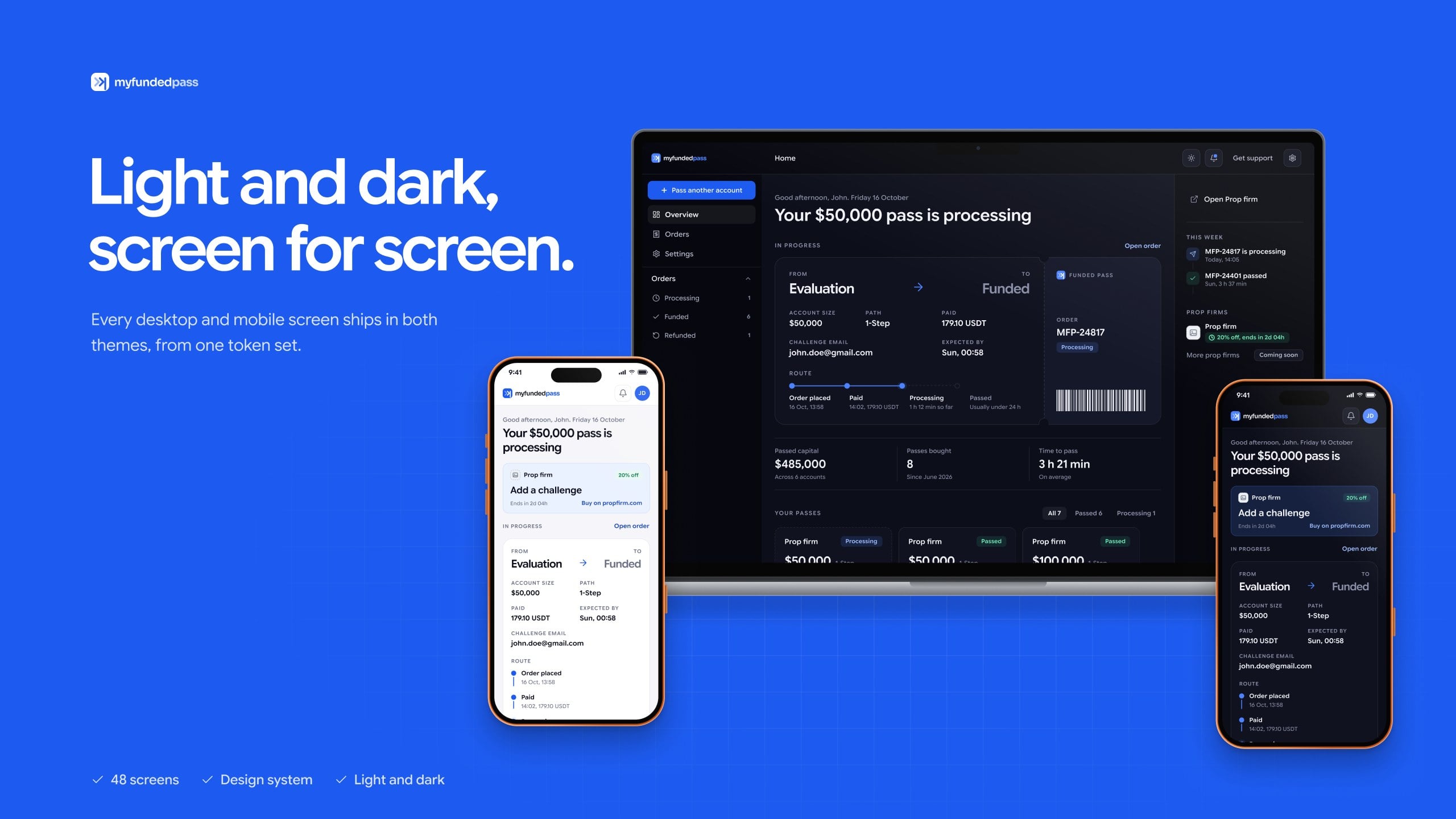
The developer got a Before state for every drawer, popups at the default viewport, one token set for both themes, and written notes for every rule the screens assume.
47desktop screens
47mobile screens
16emails on one template
2rounds of client feedback
The system underneath
One set of Figma variables for the trader, affiliate and admin portals, in light and dark modes.